


If your Mac keeps asking for your keychain password
Updated on Apr 22, 2026
Reading time ~1 minute
iMazing and iMazing Mini store credentials in your macOS keychain to operate correctly. This article covers the most common reasons your Mac may ask for your keychain password repeatedly.
Allow iMazing to access its keychain items
When macOS prompts you for your keychain password, enter your macOS user account password and click Always Allow.
Verify iMazing's access control settings
If the prompt keeps appearing, check that iMazing is correctly listed in the access control settings for its keychain items.
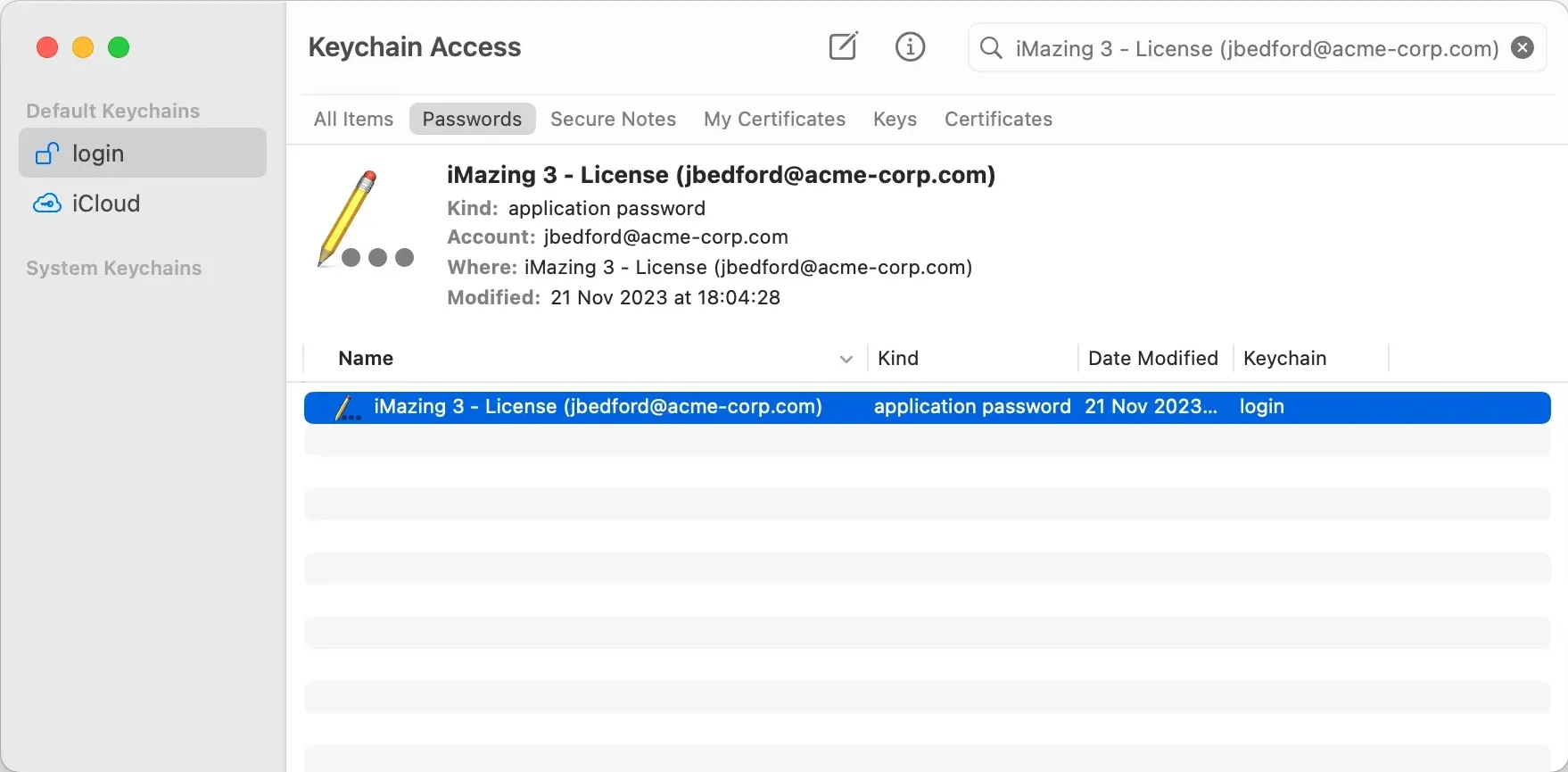
- Open Keychain Access (search for it in Spotlight).
- Locate the item named iMazing or starting with "iMazing" in the item list.
- Double-click the item, then select the Access Control tab.
- Confirm that iMazing is listed under Always allow access by these applications, or that Allow all applications to access this item is selected. If you use iMazing Mini, confirm it is listed as well.
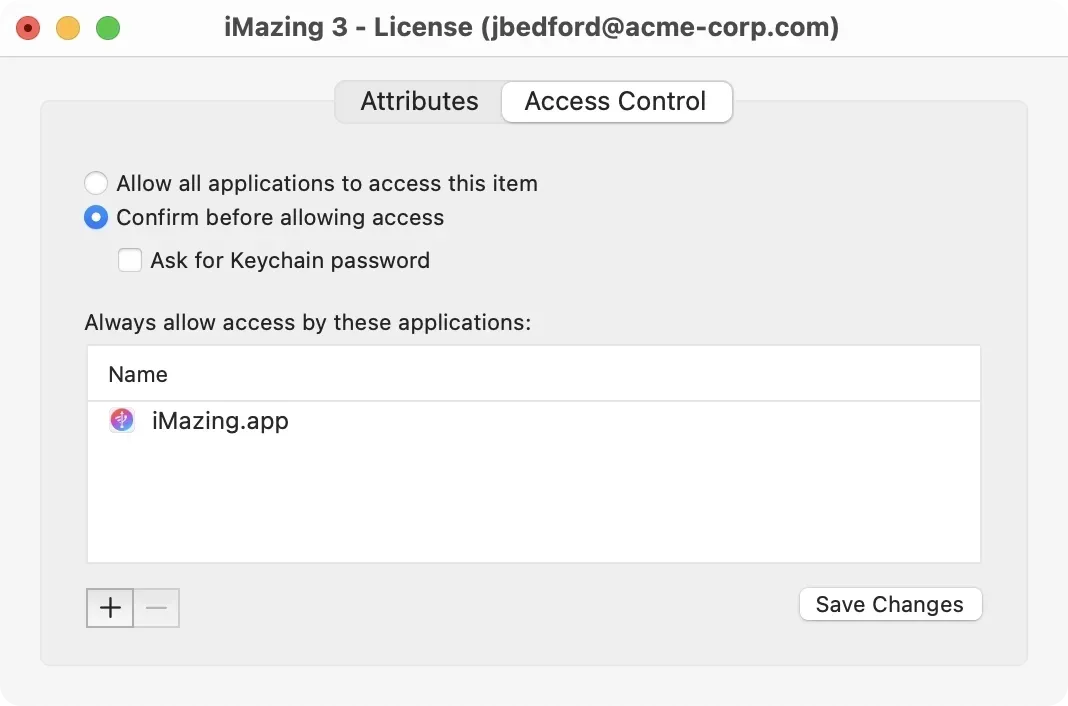
- Click Save Changes.
Check for a keychain and login password mismatch
If your Mac keeps asking for a keychain password across multiple applications, the issue may not be specific to iMazing. Your login keychain password may be out of sync with your macOS user account password. Refer to Apple's guide on updating your keychain password, or to this Apple Stack Exchange thread for additional context.