


iMazing 3.5: Collapsible Sidebar, Enhanced Messages & WhatsApp, Screen Recording, File Search + Many Advanced Tools
iMazing 3.5 introduces a collapsible sidebar in the Device view that looks great and gives you more space in the main window.
This release delivers numerous improvements to Messages and WhatsApp, including better reaction support for both, plus targeted improvements across PDF, CSV, and Excel exports.
iMazing 3.5 Messages main window with the sidebar collapsed and a reaction.
On macOS, iMazing 3.5 adds high-definition Screen Recording, letting you mirror and record an iPhone or iPad screen over USB.
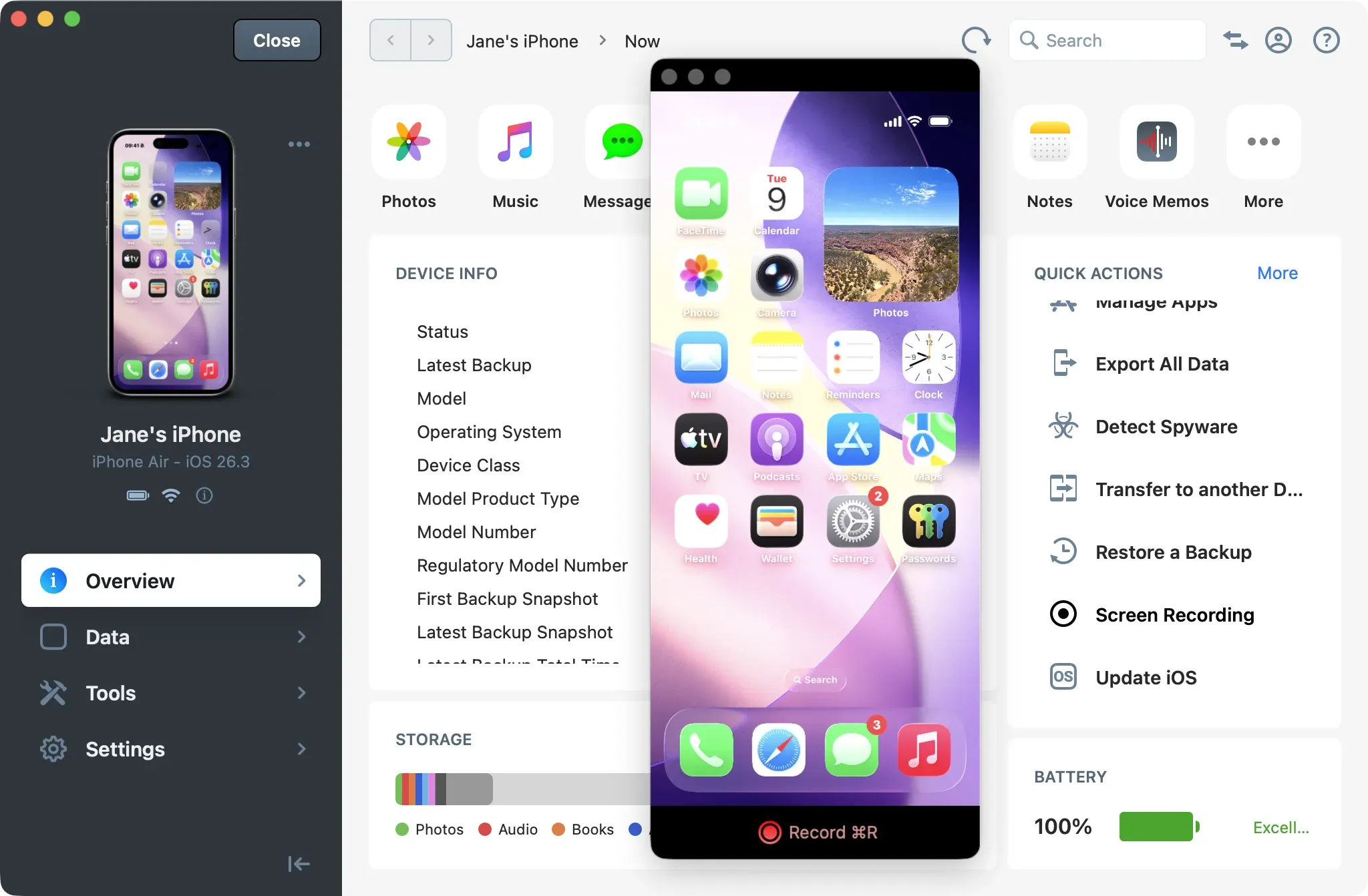
iMazing 3.5 showing the new HD Screen Recording feature on macOS.
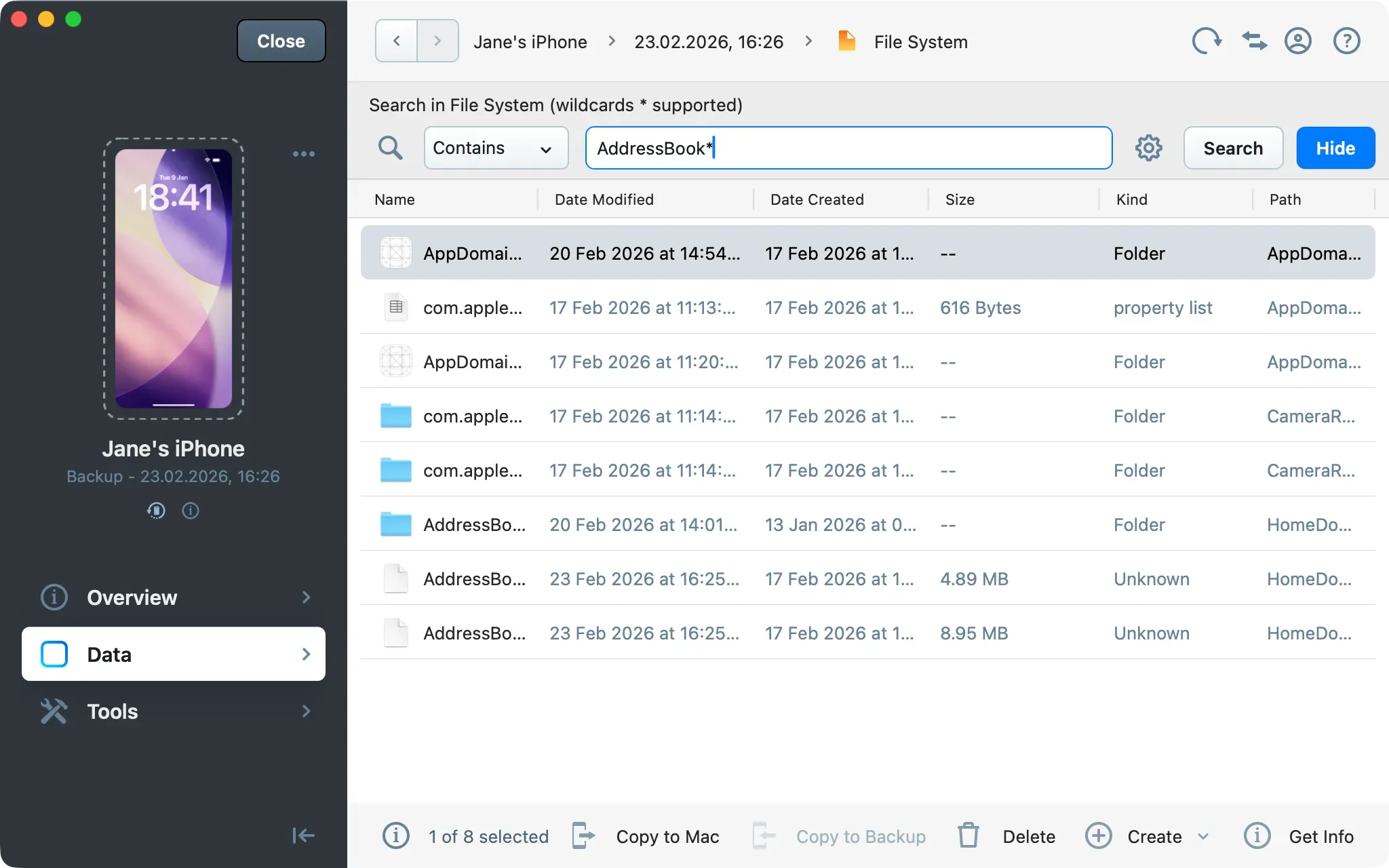
A new File System search enables fast file and folder discovery across both devices and backups, including partial-match queries via wildcard (*) when the exact path or filename is unknown.
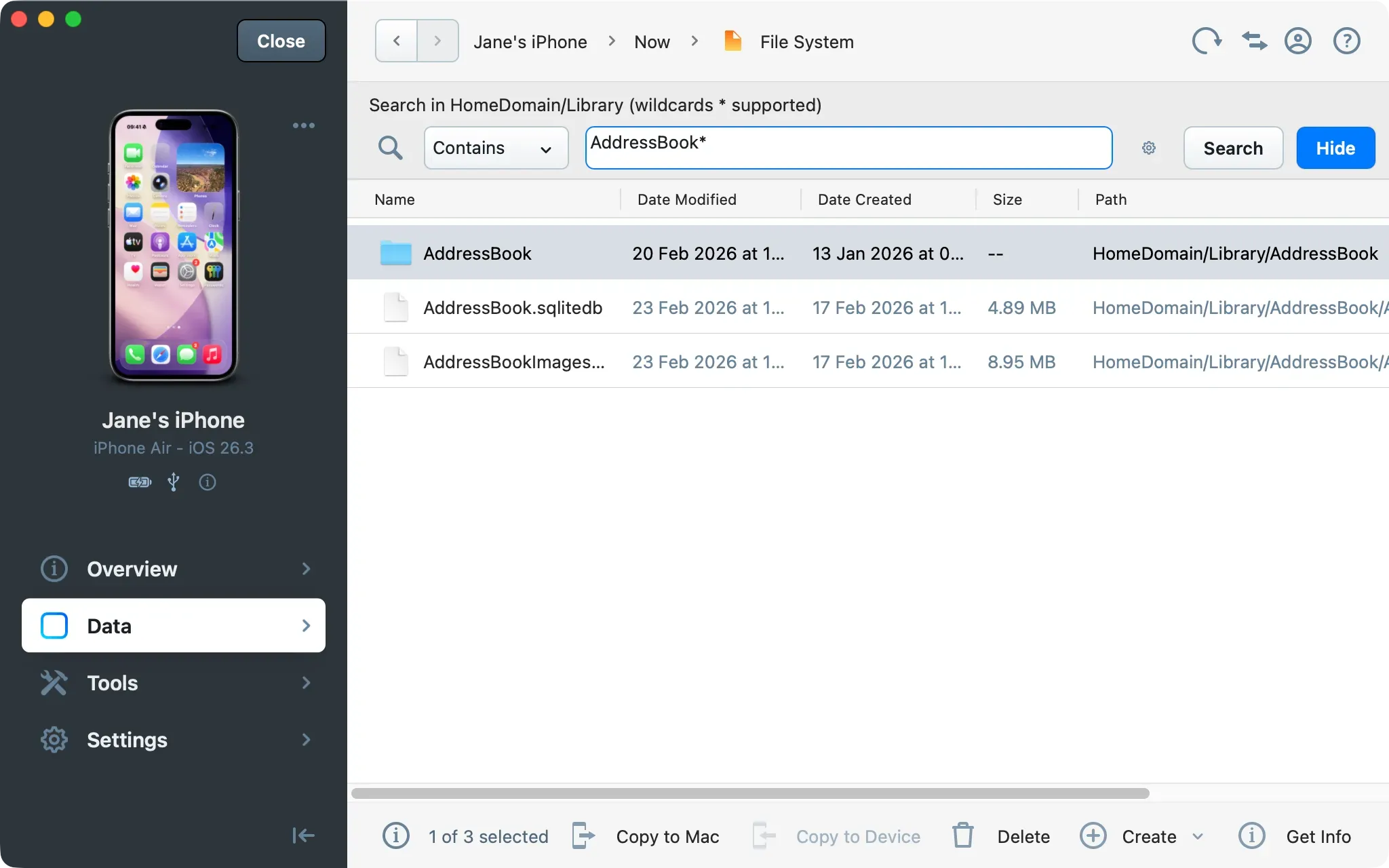
iMazing new files and folders search tool.
For power users and developers, iMazing 3.5 adds advanced tools, along with many updates to iMazing Configurator and iMazing CLI.
Windows performance has been optimized throughout the application. This version also lays the groundwork for major features coming soon.
Download iMazing 3.5 for macOS and Windows
iMazing 3.5 Release Notes
User Interface
- Device view sidebar is now collapsible
- Refreshed iMazing icon for macOS 26
New Tools
- Screen Recording – Mirror and record the device's screen in high resolution using H.264 format over USB (macOS only)
- File System Search – Search for files and folders in devices and backups with wildcard support (
*) - Export Battery Diagnostic – Export full battery diagnostic as JSON (
.json) or Plist (.plist) file - Device Console – Open the device console in macOS Terminal or Windows Command Prompt for better performance
- Enable IDAM (Inter-Device Audio and MIDI) – In this mode, your iPhone or iPad appears as an audio input device on your computer, letting you record non-telephony audio through the USB cable. You can also send and receive MIDI messages through the USB cable using your favorite music apps
- Export Pairing Record – Export this device's pairing record as a Plist (
.plist) file. You can then import it on another computer in iMazing Preferences > Devices. To protect user privacy, the device must be connected and the user must enter their passcode to export the pairing record
Messages and WhatsApp
- Enhanced support for message reactions
- UI now updates smoothly when toggling options without reloading the view
- Added message timestamps: sent, received, edited, deleted, and read
- Added a filter to view messages from specific participants within a conversation
- Improved phone number matching with contacts
- Improved message reply-to display
- Fixed double encoding in site descriptions for URL previews
- Export as PDF: General improvements in rendering items
- Export as PDF: Improved page breaks
- Export as PDF: Support for emojis in contact names
- Export as RMSF: Added an option to create one RSMF file per day
- Export as RSMF: Export now includes additional date information: sent, received, and read
- Messages: Filter messages by service (phone number or email)
- Messages: Added early support for "Business Chat" messages
- Messages: Added (optional) Read and Deleted dates in CSV and Excel exports
- Messages: Fixed attachment order on iOS 14 and 15
- Messages – Export as PDF: Fixed live photos potentially rendered as attachments
- Messages – Export as PDF: Fixed missing recently deleted messages when exporting selected messages
- Messages – Export as PDF: Fixed layout for URL messages without titles
- WhatsApp: Added support for polls
- WhatsApp: Fixed potential missing reply-to
- WhatsApp: Fixed potential missing disappearing messages
- WhatsApp: Fixed missing sender for received voice calls
- WhatsApp: Fixed incorrect call durations for very long calls
- WhatsApp: Fixed missing sender ID in CSV and Excel exports
Developer Tools
- Take Screenshot – Capture a screenshot of the device screen (with Developer Mode enabled)
- Simulate Geolocation – Set custom coordinates for testing purposes (with Developer Mode enabled)
- Capture Network Traffic – Capture network packets to a Packet Capture (
.pcap) file for analysis with software like Wireshark - Capture Bluetooth Traffic – Capture bluetooth packets to a Packet Capture (
.pcap) file for analysis with software like Wireshark
Additional Improvements and Fixes
- Windows: Performance improvements across the whole application
- Music: Improved artwork support
- Voicemail: Export voicemail metadata to Excel
- Voicemail: Files are now always exported with a
.m4aextension - Contacts: Added a "Keep Both" button when exporting a contact that already exists in the computer target location
- Backup Restore: Fixed an issue that prevented the iOS Contacts app from working properly when excluding contacts from restore
- Device Pairing: Fixed pairing record error that was mistakenly displayed when an Apple Watch was quickly disconnecting
iMazing Configurator
- New iOS Setup Assistant skip keys:
AgeBasedSafetySettings,AgeAssurance - Fixed an issue that prevented the device name from being set when restoring a backup via a blueprint
iMazing CLI
- Added command
--device-enable-developer-mode --udid <device_udid>to enable Developer Mode - Added command
--device-mount-developer-image --udid <device_udid>to mount the Developer Disk Image (Developer Mode must be enabled) - Added command
--device-unmount-developer-image --udid <device_udid>to unmount the Developer Disk Image - Added command
--device-install-custom-package --udid <device_udid> --item-path <file_path>with option--package-typeto specify the package type: Customer (.ipa), Developer (.app,.ipa,.zip), InternalBuild (.app,.ipa,.zip), CarrierBundle (.ipcc,.bundle) - Added command
--device-take-screenshot --udid <device_udid> —-target-path <file_path>.pngto take a screenshot (Developer Mode must be enabled) - Added command
--device-simulate-geolocation --udid <device_udid> —-lat 46.197254 --lon 6.154032to simulate a geolocation (Developer Mode must be enabled) - Added command
--device-launch-app --udid <device_udid> —-bundle-id <app_bundle_id>with options--args,--kill-existingand--start-suspendedto launch an app (Developer Mode must be enabled) - Added command
--device-signal-process --udid <device_udid> —-pid <process_id> --signal <signal>to send a POSIX (IPC) signal to a process (Developer Mode must be enabled) - Added command
--device-enable-idam --udid <device_udid>to enable IDAM (Inter-Device Audio and MIDI) - Added command
--device-capture-network-traffic --udid <device_udid>to capture network traffic to a.pcapfile - Added command
--device-capture-bluetooth-traffic --udid <device_udid>to capture bluetooth traffic to a.pcapfile - Added command
--device-export-pairing-record --udid <device_udid> --target-path <pairing_record_file_path>.plistto export a device pairing record as.plistfile (device passcode is required) - Added command
--device-import-pairing-record --item-path <pairing_record_file_path>.plistto import a device pairing record - Added command
--device-export-unified-logs-as-spreadsheet --udid <device_udid> --filter-start-time 2026-01-01T00:00:00 --filter-end-time 2026-03-01T00:00:00 --filter-max-items 10000 --target-path <file_path>.csvto parse and export device Unified Logs as.csvfile - Added command
--clear-imazing-cachewith option--udidto clear the cache for a specific device - Added command
--clear-imazing-tempwith option--udidto clear the cache for a specific device