


iMazing Profile Editor 2.3: Finder Quick Actions and Modern macOS Design
iMazing Profile Editor 2.3 for macOS adds Finder Quick Actions to unsign configuration profiles and reset their identifiers, and adopts the modern macOS interface style. iMazing Profile Editor 2.3 also extends app drag and drop to every table that takes a bundle ID, code requirement, or team ID, and makes Managed Client: Forced the default payload container for third-party domains.
Finder Quick Actions for Configuration Profiles
Two Finder Quick Actions are now available on macOS: one unsigns a configuration profile, the other resets its identifiers. Both are available from the Quick Actions submenu of the Finder context menu and from the Finder preview pane.
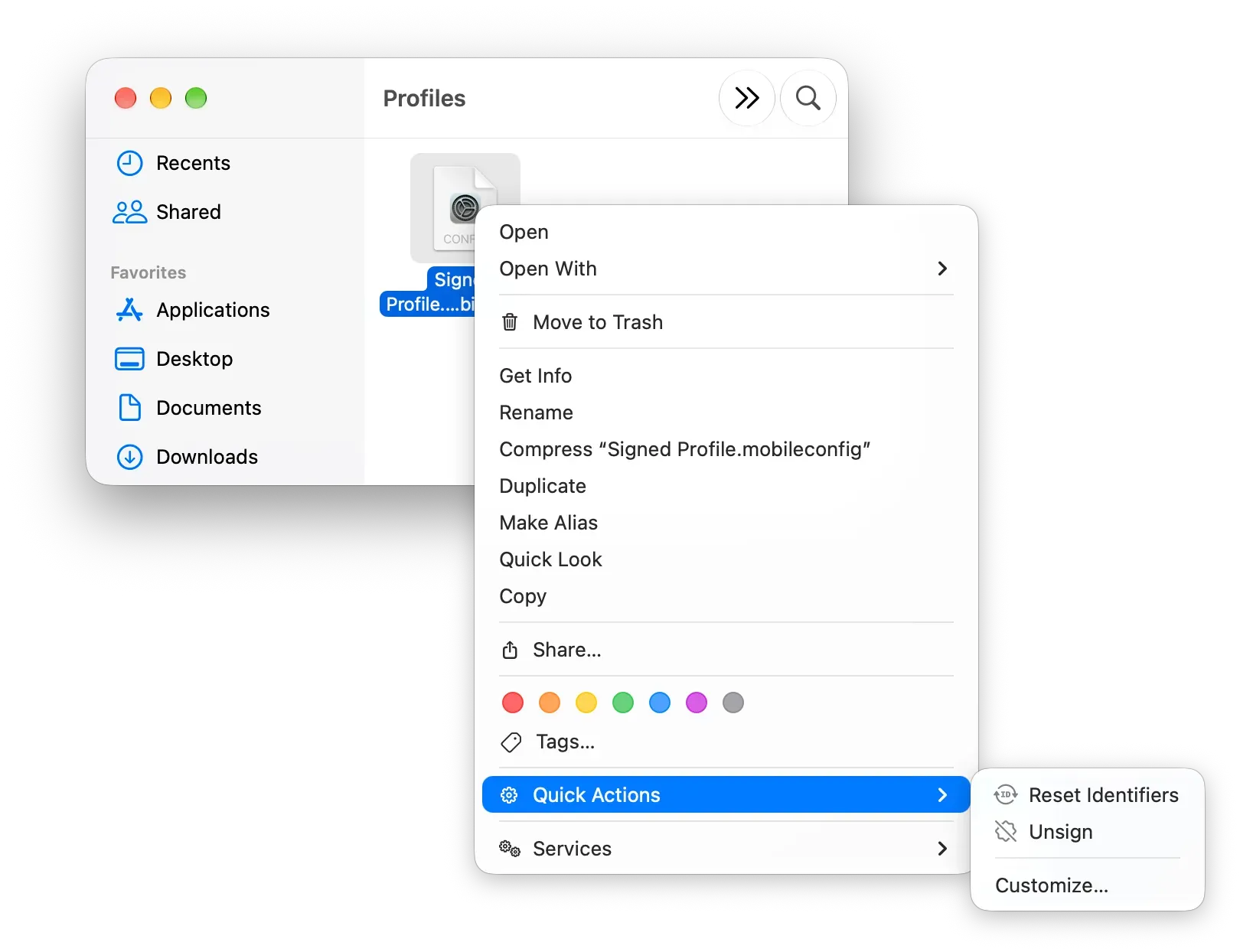
Reset Identifiers and Unsign in the Finder Quick Actions menu.
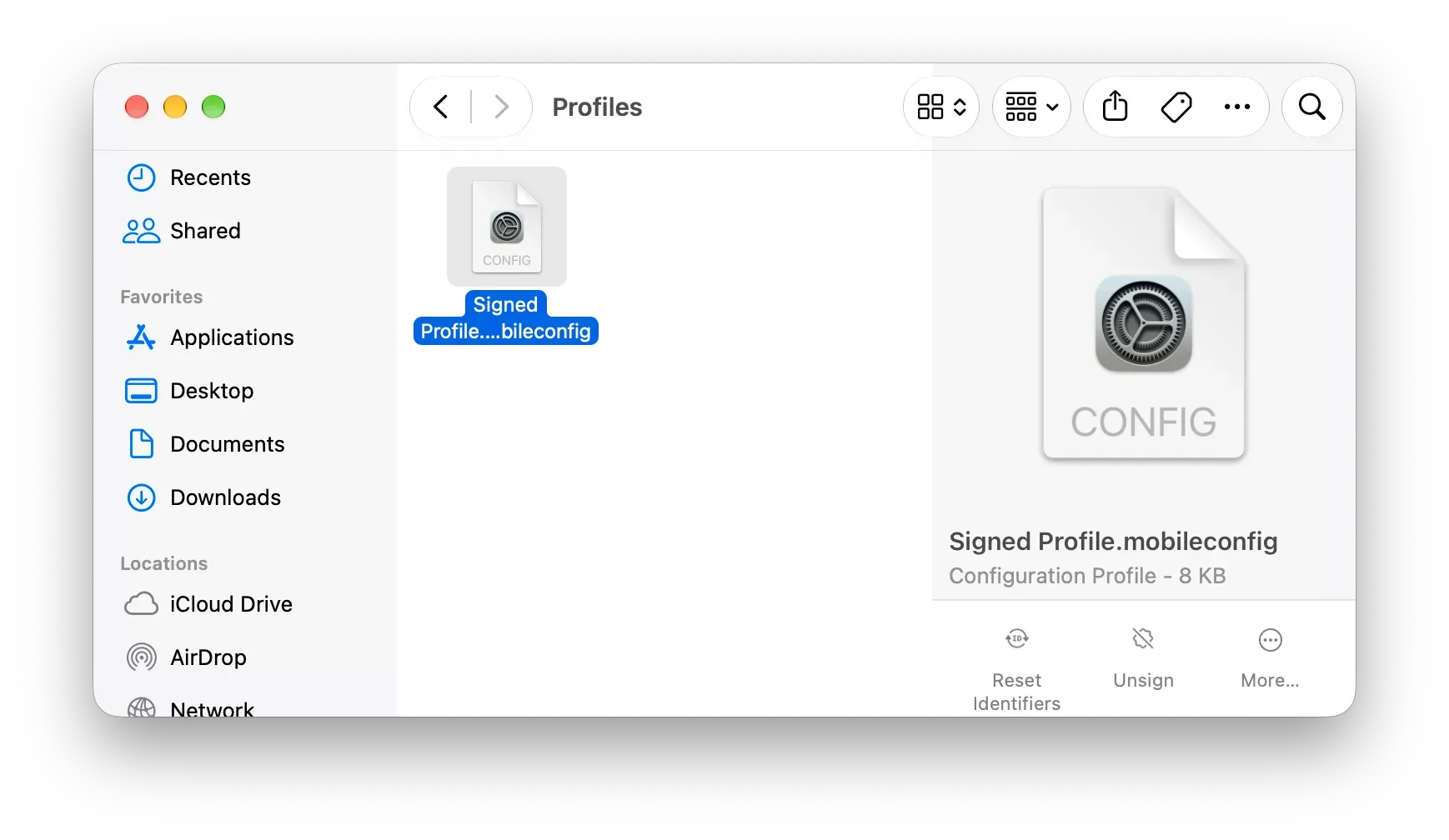
Reset Identifiers and Unsign in the Finder preview pane.
macOS requires Finder Quick Actions to be approved in System Settings. The Open System Settings to Approve button, in the Integrations tab of the iMazing Profile Editor settings, opens that location directly.
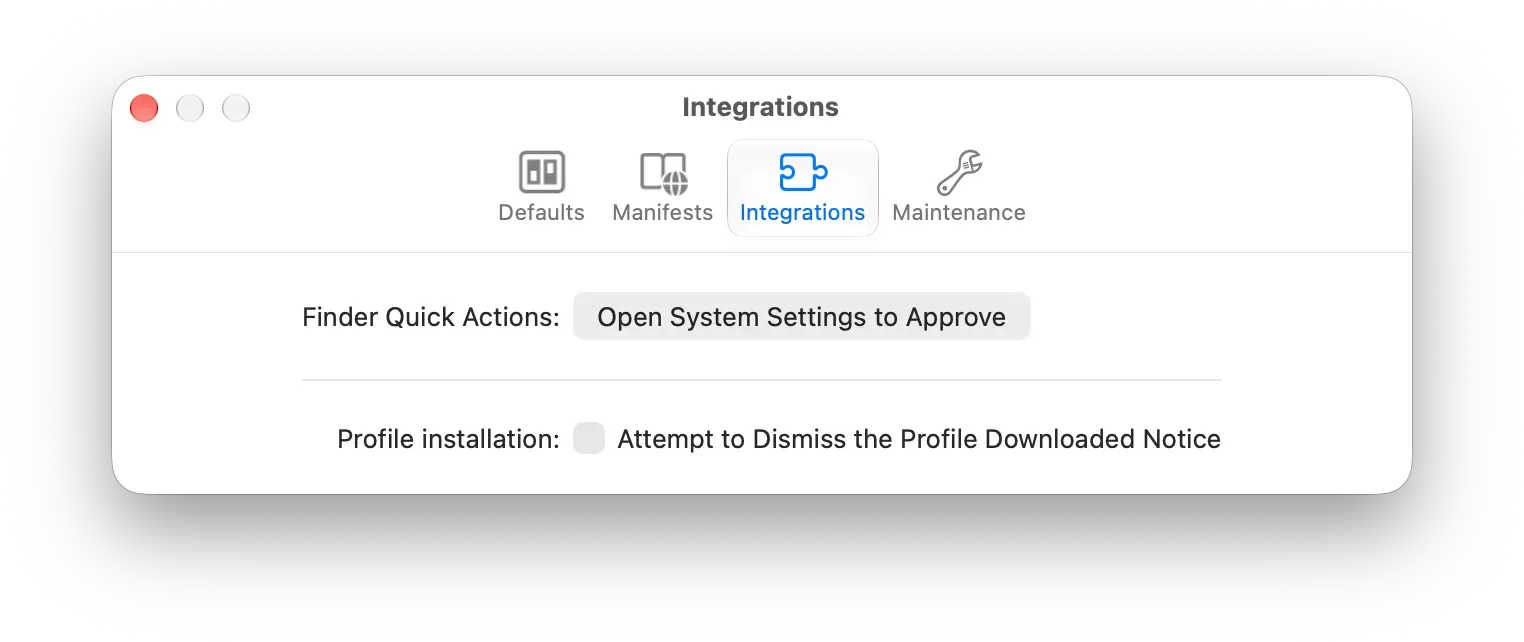
The Open System Settings to Approve button in the Integrations tab of the iMazing Profile Editor settings.
Interface Improvements
In sections where properties are split into groups, group selectors can now use an overflow menu instead of truncating titles. Descriptions of boolean properties are hidden by default and reappear to highlight terms that match a search. Supervision requirements are now indicated by the platform tags rather than by separate text labels. iMazing Profile Editor 2.3 also adopts the modern macOS UI style.
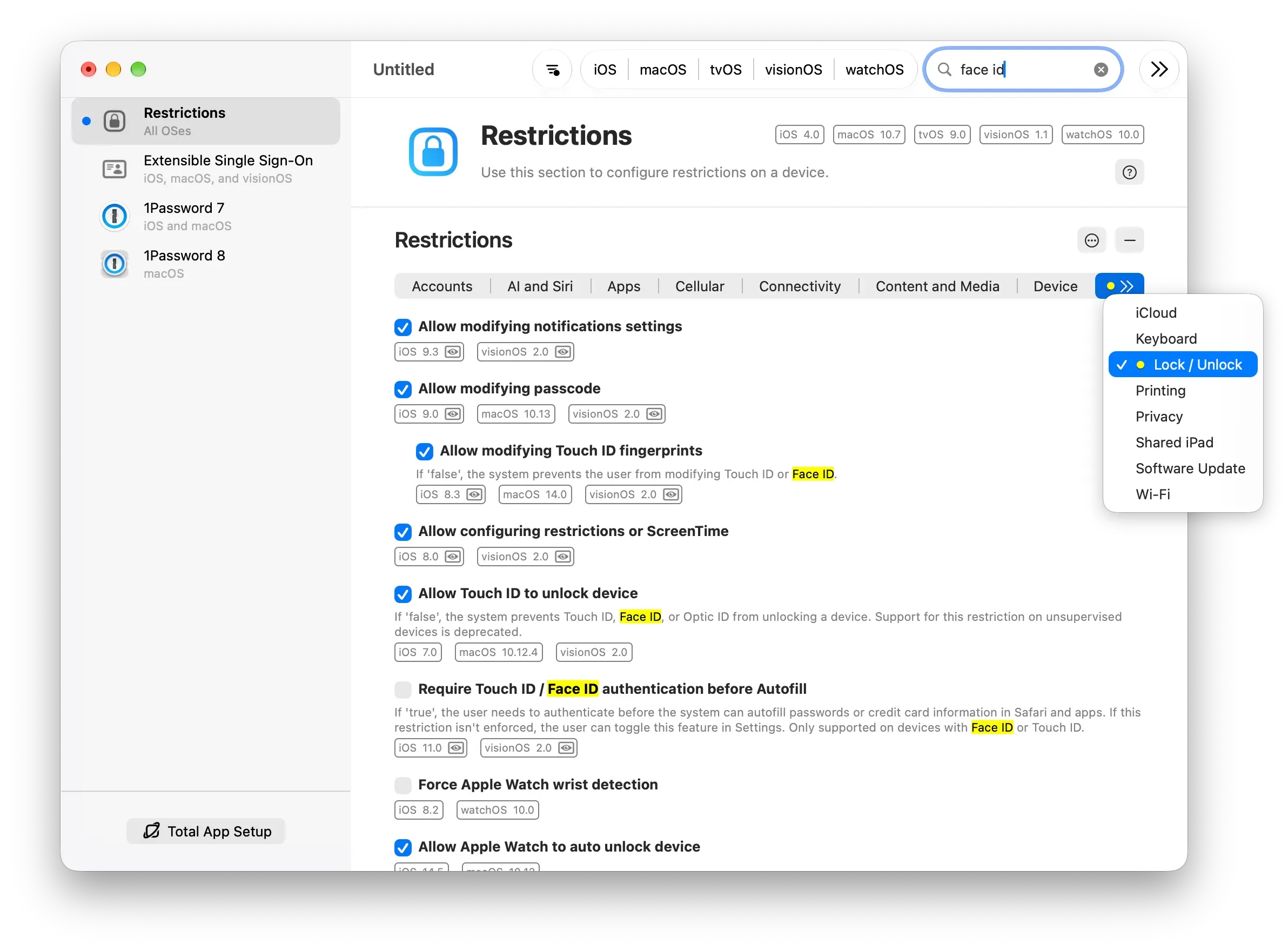
The group overflow menu and highlighted search terms in the Restrictions payload.
App Drag and Drop in More Tables
App drag and drop, previously limited to Privacy Preferences Policy Control (PPPC) tables, now works in any table that takes a bundle ID, code requirement, or team ID.
Managed Client Payloads
Managed Client: Forced is now the default payload container for non-official and third-party domains, for maximum compatibility across MDM solutions. Managed Client payloads also take part in conflict resolution for domains that do not support multiple payloads: such a domain can hold one General or Managed Client: Forced payload, and one Managed Client: Set-Once payload.
Copying, pasting, dragging, and importing payloads, including the copy-paste and drag and drop support added in iMazing Profile Editor 2.2, now preserve the payload container type of the source payload.
Availability
iMazing Profile Editor is a free tool, available as a direct download and on the Mac App Store.
System requirements: macOS Sonoma (14.0) or later.
Full release notes: iMazing Profile Editor 2.3 macOS release notes