


iMazing 3.6: Music Transfer to iPod Classic, Unified Logs, and iMazing Configurator for Windows
iMazing 3.6 brings music transfer to iPod classic, introduces Unified Logs for deeper device insights, and delivers the first version of iMazing Configurator for Windows. The release also includes refinements across macOS and Windows.
Music Transfer to iPod Classic
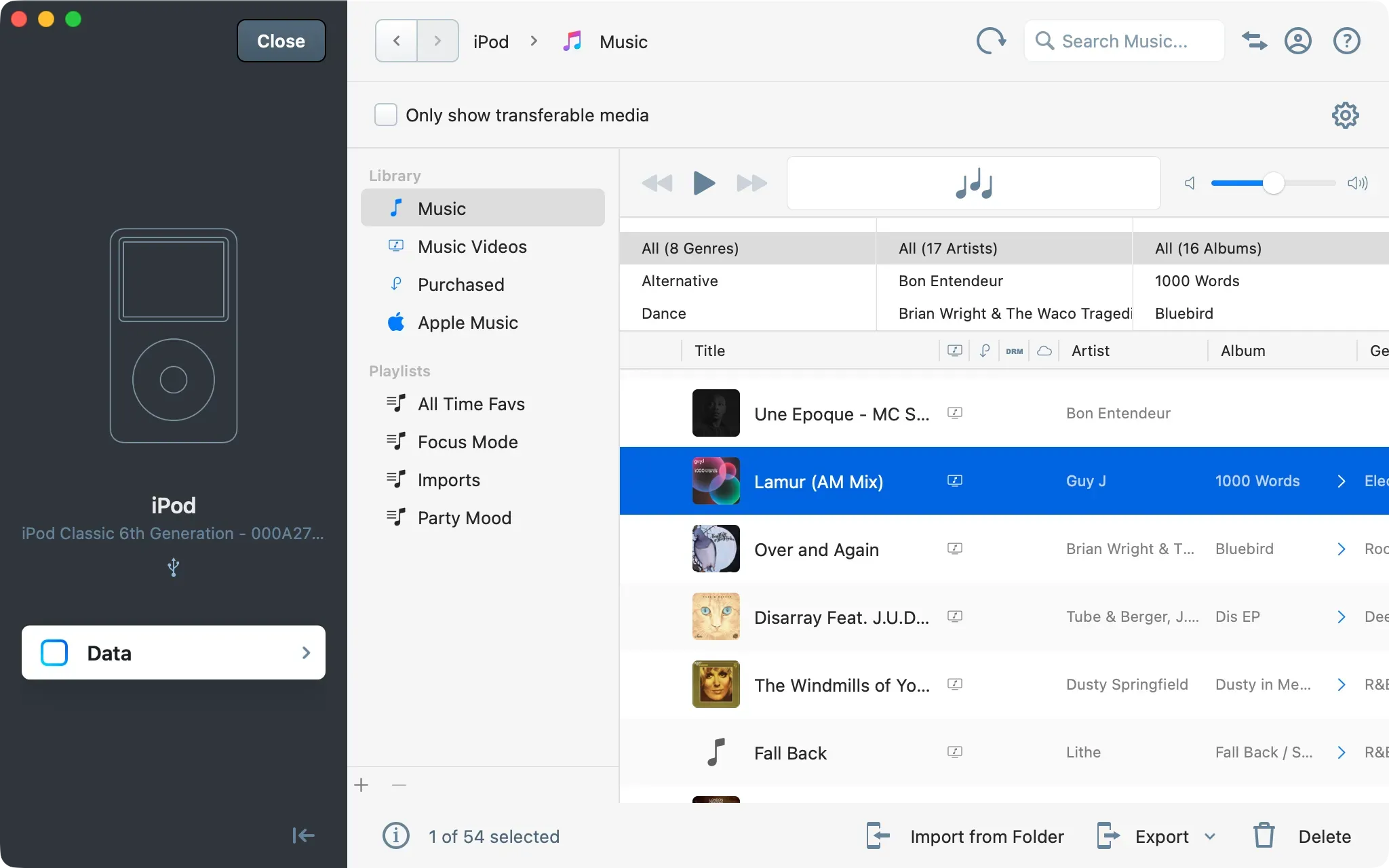
iMazing 3.6 adds music transfer to iPod classic (and other older models released before the iPod touch), just in time for this beloved device’s revival. Music transfer now works both ways on these devices, so you can load your favorite tracks without iTunes on Windows or Finder on macOS, and leave behind the nightmarish, often broken one-way sync process. Read more about the iPod classic comeback and learn how iMazing now offers two-way music transfer for legacy iPods. For a step-by-step walkthrough, see our guide to adding music to an iPhone, iPad, or iPod from a Mac or PC.
Unified Logs
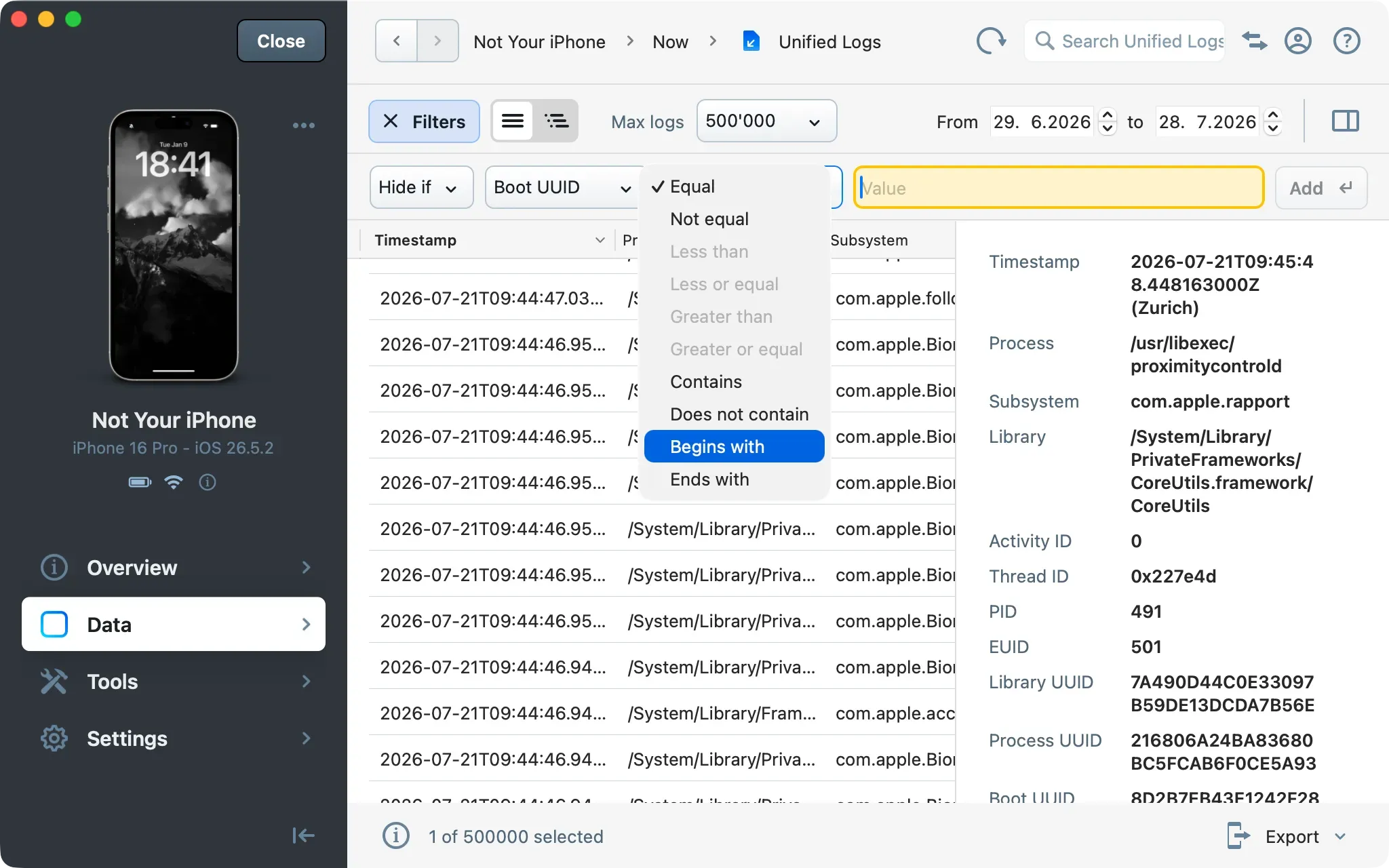
iMazing 3.6 introduces Unified Logs, a new dataset in the Data section that gives you direct access to device's unified system logs right in iMazing’s main window.
Browse all log entries in a sortable table with detailed columns including timestamp, process, subsystem, library, category, log type, PID, and thread ID. Narrow results with filters, a date range selector, and search, then select any entry to inspect its full details in a dedicated side panel. Logs can also be exported for analysis or archiving.
For developers, IT professionals, and power users, Unified Logs makes it dramatically easier to troubleshoot device issues, investigate app behavior, and audit device activity, directly from iMazing on macOS or Windows. The dataset is also suited to digital forensics and e-discovery: stackable inclusion and exclusion filters isolate relevant entries, and results can be exported to Excel or CSV for analysis or preservation. To accompany the release, we discuss the feature in greater details in this dedicated post, and have published a new, detailed guide covering it.
iMazing Configurator Comes to Windows
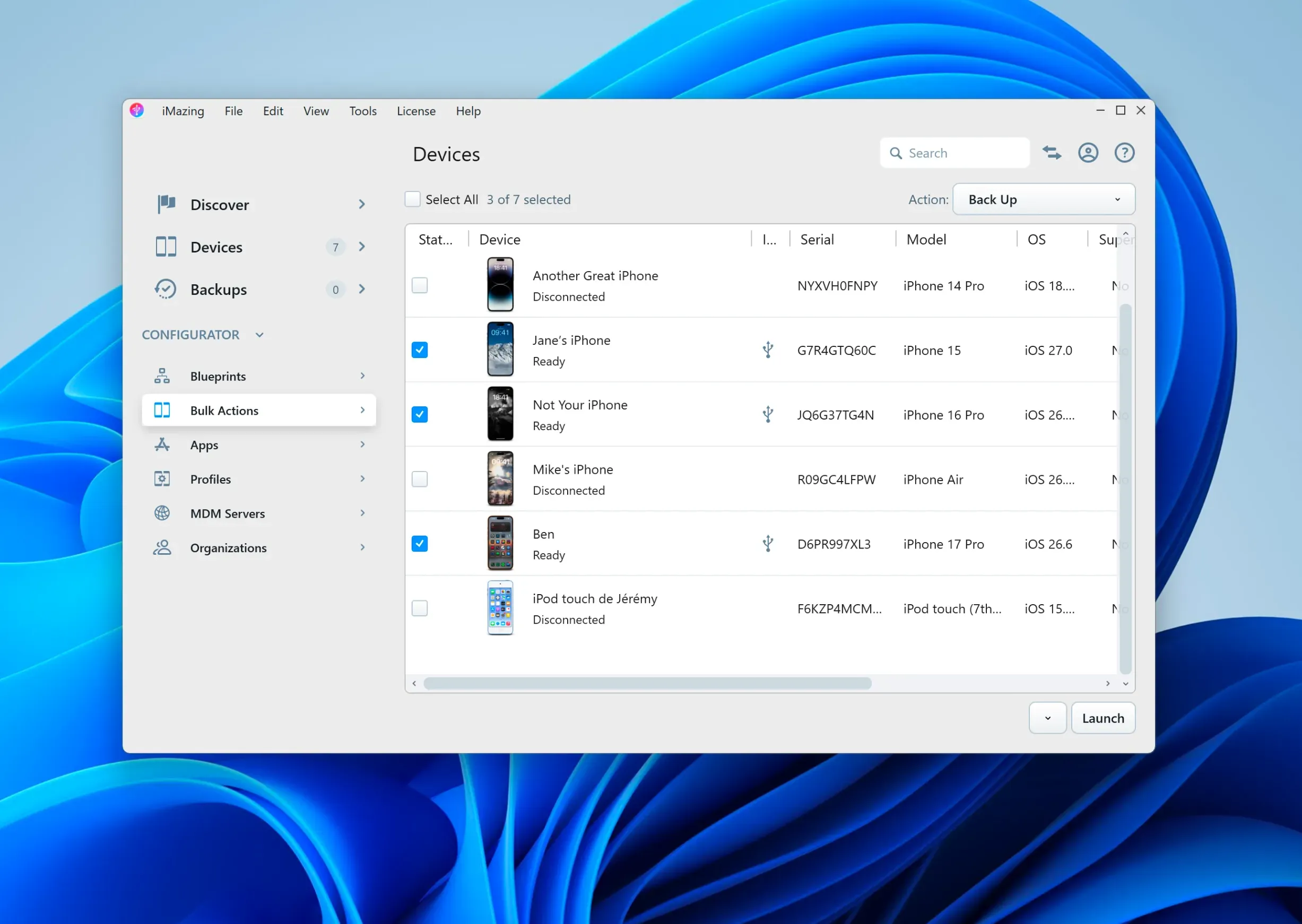
iMazing Configurator, previously exclusive to macOS, is now available on Windows. Offered to iMazing Business subscribers, Configurator brings device provisioning capabilities to teams: supervision, MDM enrollment, and reusable blueprints for profiles, apps and backups. The blueprint editor is still only on macOS for now, but blueprints created on a Mac can be exported from there, then imported on Windows, and applied to devices, which streamlines workflows in mixed IT environments. Learn more in our iMazing Configurator guide, and read more about this release in this detailed blog post.
Improved OneDrive Backup Handling
On Windows, iMazing now proposes pausing OneDrive synchronization while backing up to a OneDrive folder, and resumes it once the backup completes. This prevents OneDrive from locking files iMazing needs during the backup.
Update to 3.6 Today
iMazing 3.6 is available as a free update for iMazing 3 users.
Download iMazing 3.6 for macOS and Windows
iMazing 3.6 Release Notes
Music
- Added music transfer to iPod classic
Photos
- Improved video quality at higher quality settings - eliminates blocky artifacts (macroblocking) when converting videos to H.264
- Fixed dropped frames when converting variable-frame-rate videos
- Greatly improved photo loading performance on iOS 27
Unified Logs (available with iMazing Business)
- Added Unified Logs, a new dataset to browse, filter, search, inspect, and export device system logs
Backups
- iMazing will propose pausing OneDrive synchronization on Windows while backing up to a OneDrive folder, and will resume it once the backup completes. This feature should prevent issues when backing up devices, where OneDrive may lock iMazing out of accessing files while synchronization is in progress.
iMazing Configurator (available with iMazing Business)
- Windows: Added iMazing Configurator views. Blueprints created on macOS can be imported and applied on Windows.
Note: The blueprint editor is currently only available on macOS. However, generated blueprints can be applied on both Windows and macOS.
Additional Improvements and Fixes
- Messages and WhatsApp: Fixed an issue where links in messages could result in corrupted PDF files
- Call History and Voicemail: Improved search for contact names and phone numbers
- Device Summary: Fixed an issue where the view could remain blank after a refresh with an expanded battery widget
- Diagnostics: Fixed exporting battery diagnostics to JSON, which resulted in an empty file
- iMazing CLI: Fixed emojis and reactions not appearing in PDF exports (Windows)
- Other general stability improvements